
“IPTV is bad, I want to cancel.” We get messages like that regularly. In almost every case, it turned out to be the home network, not the service. In our own support data, the real cause is the home network or the device setup in around 80% of cases, not the stream. That’s exactly why you should test IPTV before you pay, not after the money is gone.
Testing here doesn’t mean “grab something for free”. It means checking a provider against clear criteria, so you know what you’re getting before you commit.
In brief
– Judge a provider by stability, not channel count. 5,000 stable channels beat 18,000 that keep buffering.
– Around 80% of IPTV complaints come from the network or device, not the service (IPTVBase, internal support data 2026).
– A meaningful test needs prime time: watch in the evening when networks are busy, not at 10 a.m.
– Settle the refund rules before you buy. At IPTVBase, refund requests are reviewed within 48 hours after activation.
 Illustrative image
Why the test matters more than the price
Price tells you little about quality. What matters is stability under load, and you won’t see that on any sales page. A cheap plan with a huge channel list is useless if the stream freezes at kick-off. Why is that? Because numbers are easy to print, stability isn’t.
And here’s where the rub really is: providers advertise big channel lists because it’s easy. Stability, support, and honest picture quality are things you have to verify yourself. A good test makes exactly that difference visible.
Across five years and more than 1,500 customers, the pattern is clear: people who test for 48 hours before buying avoid almost all later disappointment. The test is the cheapest insurance you can buy, and it only costs your time.
What’s really wrong when IPTV won’t play?
 Illustrative image
A typical case from our support: a customer simply reported “IPTV is not working”. The cause was a congested 2.4 GHz Wi-Fi. After switching to the 5 GHz band and moving closer to the router, HD streaming ran smoothly. The provider was never the problem.
In around 80% of our support cases, the cause is the home network or the device setup, not the stream itself (IPTVBase, internal support data 2026). This is the single most important thing to know before any test: fix your network first, and you’ll judge the provider fairly instead of blaming it for your Wi-Fi.
In practice: a slow DNS server, a congested 2.4 GHz Wi-Fi, or an outdated app cause the buffering and drop-outs that look like a bad provider. The real cause is usually trivial and fixed in a few minutes.
The 7 criteria of a good IPTV provider
When you test IPTV, start with these seven points. A good provider holds up on all of them. Check them in order and you won’t need a gut decision. Technically, the first point decides most of your day-to-day experience.
| Criterion | What to look for |
|---|---|
| 1. Prime-time stability | Does the stream run 30 minutes in the evening without buffering or freezing? |
| 2. Real picture quality | Is HD/FHD/4K actually delivered or just advertised? Watch fast motion, not still frames. |
| 3. Device fit | Does it work on your device (Fire TV Stick, Samsung, LG, Apple TV)? |
| 4. Activation speed | How quickly are you up and running? A few minutes is a good sign. |
| 5. Support availability | Does support answer a real question quickly and clearly? |
| 6. Transparency | Is there a legal notice, clear pricing, and a clear refund rule? |
| 7. The right channels | Are the exact things you want to watch included? |
Stability and support beat everything else. A service with 5,000 reliable channels and fast support beats one with 18,000 that keeps stalling. A very large number on the homepage is more of a warning sign than a selling point, because quality breaks first when a provider overloads its system. For setup help on your device, see our installation guides.
How to test IPTV before you buy
 Illustrative image
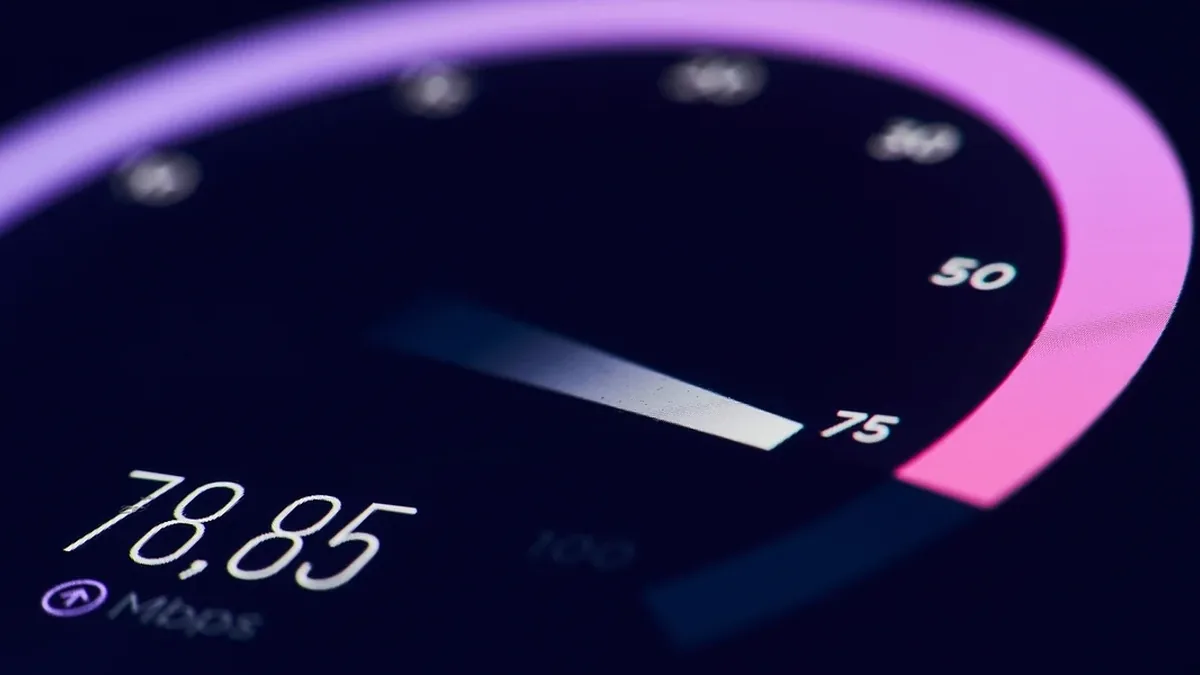
Test IPTV under real conditions, or the result means little. A test is only meaningful that way. The most common cause of a bad result is a weak network, not the service. So prepare your setup first, then test.
- Check your internet. Run a speed test. For HD you want a stable 5 to 10 Mbps, for 4K closer to 25 to 50 Mbps.
- Improve the connection. Use an Ethernet cable if you can. On Wi-Fi, pick the 5 GHz band over 2.4 GHz; it’s more stable.
- Optimize DNS. Set a fast DNS server in your router, such as 8.8.8.8 or 1.1.1.1. This fixes a surprising number of loading and buffering issues.
- Test at prime time. Watch in the evening when networks are busy. A midday test tells you little.
- Multiple channels and devices. Switch channels, try HD and 4K, and check a second device.
- Push the support. Ask a specific question and measure how fast and how helpful the answer is.
Watch it over 24 to 48 hours. A concrete example from our cases: a customer reported constant stuttering on a Smart TV. The app was fine, but the router was still on the ISP’s default DNS. After switching to 8.8.8.8 and to the 5 GHz band, the stream ran smoothly. The culprit was sitting in the home network, not at the service.
Red flags: when to walk away
 Illustrative image
Some offers reveal themselves as dubious before you even test. You know the one: a deal sounds too good to be true. That’s exactly when to be careful, because unrealistic promises almost always come at the cost of stability, security, or legality.
Watch for these:
- No legal notice and no clear provider name.
- Payment only by cryptocurrency or gift card, with no standard methods.
- Promises that are hard to keep technically or legally.
- No reachable support and no clear refund rule.
- Pressure and artificial time limits to make you pay fast.
What does that mean for you? If even two of these apply, skip the test. If you’re unsure what’s allowed with IPTV and how to spot dubious offers, our overview of the legal situation for IPTV in Germany explains the essentials calmly.
What happens after the test?
 Illustrative image
If the test convinces you, you make an informed decision instead of a bet. If it doesn’t, you only invested time, not money. That’s the whole point of testing.
Before buying, find out how the provider handles problems. At IPTVBase: support is available during the full subscription period. Refund requests are reviewed within 48 hours after activation if the service cannot be activated or cannot be made to work after support troubleshooting.
If you want to compare services side by side, see our big provider comparison. For an overview of choosing a service, see the IPTV provider page, the channel overview, and the guide to IPTV in Germany.
Frequently asked questions
How do I test IPTV before buying?
Prepare your network first (Ethernet or 5 GHz Wi-Fi, fast DNS), then test in the evening at prime time. Check stability, picture quality, your devices, and support over 24 to 48 hours. That shows you the real performance instead of a polished moment.
Is there a free test?
“Meaningful” matters more than “free”. A good test checks what actually counts: activation, stability under load, device fit, and support. Focus less on the word “free” and more on being able to test under real conditions.
How do I know a stream is stable?
By smooth playback at prime time, with no buffering, freezing, or blockiness during fast motion. Deliberately test sport or action, where instability shows first. Still frames tell you little about real quality.
What internet speed do I need?
For HD you want a stable 5 to 10 Mbps, for 4K closer to 25 to 50 Mbps. A stable connection matters more than peak speed. Ethernet is more reliable than Wi-Fi here, especially with several simultaneous streams.
How fast should activation be?
With a well-run provider you’re usually ready within a few minutes. Long, unclear waits with no feedback are a bad sign for the organization behind the service.
What can I do if the stream stutters?
In most cases it’s the network. Switch DNS to 8.8.8.8 or 1.1.1.1, use 5 GHz or Ethernet instead of 2.4 GHz Wi-Fi, and restart the router. Only if none of that helps is it likely the service.
Bottom line: Test IPTV before you buy, and judge by criteria instead of gut feeling. Prepare your network, test at prime time, and look at stability, support, and transparency. When you test IPTV under real conditions, you make a safe decision, not a bet. You’ll find the right plan on the IPTV pricing page.
About the author
Heike Schmidt has been at home in IPTV support for around five years, guiding more than 1,500 customers through setup, device testing, and the occasional Wi-Fi crisis. She likes to explain tech so that even her father-in-law gets it, with a wink along the way. The tips in this article come straight from those cases. More about the author on LinkedIn.